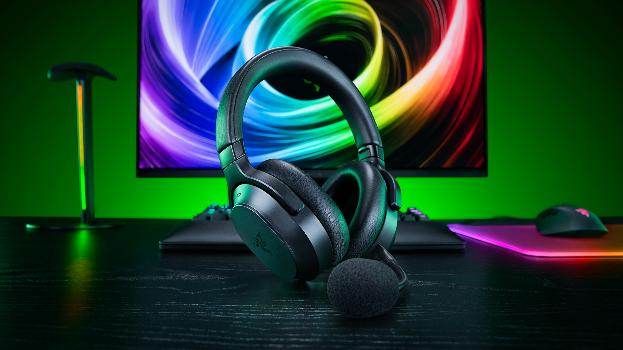
The Razer Barracuda V2 Pro is a headset I’ve found myself using for a lot more than just games. I’ve worn it while playing on my PS5, listening to podcasts on my phone while walking outside, blaring Metallica as I lift weights and working at my PC. In this regard, it has taken over the job of three other audio devices: a HyperX headset on my PC hooked up to an ODAC, an Arctis Pro Wireless wired to my TV and anything connected to it, and a set of Soundcore Liberty earbuds for when I’m out and about. Razer’s newest headset is doing the job of all of these currently. It’s comfortable, the battery lasts ages, and being able to hear game audio and phone audio at the same time is a genuinely useful feature that I love.
Overall, the Barracuda sounds very good, and I’ve never found it unpleasant or lacking. The bass and highs are where it lacks just a tiny bit. There’s a general lack of… oomph throughout the sound that the best headsets can deliver. Mind you, dicking around in the EQ settings like a sound engineer addicted to knobs certainly helps. A small lift to the 125Hz and 250Hz bands brought the drums forward for me, for example, in some of my music listening. There are no major issues here; the sound is good, and a bit of EQ tweaking can make it better still.
Audio is always the hardest thing for me to describe. I’m a drummer, there’s music on constantly around my house, and I’ve spent plenty of time around gigs and bands. Yet finding the words to describe how the audio is different is mind-boggling, especially if the difference is neither good nor bad; just different. Switching between headsets makes direct comparisons even more difficult. You can’t hold one sound in your head and compare it perfectly with the next. I’ve heard headsets I slightly prefer in some situations, but that doesn’t take away from how happy I am with the Barracuda’s overall sound. It doesn’t quite blow me away in any specific scenario, but it’s also a damn good all-rounder instead, which might be a far more valuable skill in a headset that wants to be useful everywhere in your life. I’ve got headsets that are better for listening to Metallica, but they aren’t great for games, and vice versa.
There are four EQ presets: Default, Game, Movie and Music. You can tweak them in Razer Synapse or the Razer Audio mobile app, and the stereo EQ profile is saved to the headset. The mobile app is sleek and straightforward, making it easy to change settings and adjust the EQ without sitting at a PC. The full Razer Synapse on PC is pretty decent, too. There are a few audio enhancement options, too: Sound Normalization, Bass Boost and Voice Clarity. The EQ options are useful, though if you’re the sort who can’t stop fiddling with things, you might find yourself tweaking them for far longer than intended.
THX Spatial Audio+ is a PC-only feature, and I’ve come around on it. I initially found it a little hollow and tinny in the Gears of War: E-Day opening section, where the screams of Wretches combine with about a million other audio effects, but lowering the distance setting made it sound much more believable. Star Wars: Squadrons shows how much fun 3D audio can be, and I’ve found positional audio strong across other games too, making it easier to locate enemies by sound. The recent Star Wars: Galactic Racer is a good example, letting me pinpoint the telltale sounds of a speeder coming up behind me and which side I need to defend. You give up a little clarity for that improved positioning, mind you. It’s a solid feature that I like using.
The best thing about the Barracuda is the way it handles two devices at once. Connect the 2.4GHz USB-C dongle to a PlayStation, PC or Switch and Bluetooth to your phone, and you can keep the game playing while listening to a podcast, or do the reverse. I’ve been doing exactly that with games like Toy Story 3: Complete Edition and Star Wars: Galactic Racer, and it’s become one of those conveniences that’s hard to give up once you’ve used it. The wireless connection to the dongle has been absolutely flawless, and I’ve not had any problems with Bluetooth 6.0, either. Oh, and you can also use a USB-C for charging and audio as well.
Bluetooth multipoint lets the headset remember up to eight paired devices and stay connected to two Bluetooth devices at once. Audio swaps between the two devices, so if you fire up YouTube on one and hit play, it automatically pauses the audio from the other source.
Razer lists PC, mobile, Switch 2, PlayStation and Steam Deck among the compatible platforms. I haven’t had any connection problems on PC or PS5; the PS5 picked the headset up immediately when I plugged the dongle into its USB-C port. Xbox is not officially on the supported list for the USB-C wireless dongle but can still be connected via Bluetooth.
Active Noise Cancellation (ANC) is another big feature here, and an especially awesome one if you like ignoring the rest of the world. If you’re not familiar with active noise cancellation, it uses microphones and clever audio processing to reduce the sounds around you, also known as fucking witchcraft. The ANC has four levels, which you can adjust in the app or via Synapse. It’s done a very good job for me in the gym, where it helps me focus on what I’m listening to while silencing the sound of clanking weights, terrible radio presenters and mirror-me telling me I’ll never look like Chris Hemsworth. Testing it in a windy wood was a strange experience. With ANC off, the headset already muffled enough of the wind to make it comfortable. Turning ANC on reduced some of the background noise, but made the wind hitting the headset more noticeable and slightly higher-pitched. In fairness, this isn’t an issue specific to the Barracuda; ANC headphones can have problems in windy environments. Otherwise, it performed well and let me tune out the outside world when needed.
Ambient mode is essentially the opposite of ANC: it uses the headset’s microphones to let outside sounds through, so you can hear what’s going on around you without taking one earcup off. It’s useful when you’re out walking or when someone needs to talk to you. It can also make the same woods sound like a horror film because it almost seems to amplify outside sounds. Voices, for example, and especially your own, can feel a little loud at first. That’s similar to what I’ve heard from my Soundcore earbuds, but I would have liked some control over the volume of the Ambient setting. The app lets me adjust ANC; Ambient doesn’t appear to have its own level setting. Regardless, Ambient is another excellent feature for day-to-day life, letting me interact with others without always having to take my headset off—although my manners still tell me to take them off—and keep a wary ear out for passing cars, people coming up behind me or other potential dangers. And if Razer updates them to enable different levels of Ambient Mode, including even amplifying external sounds, I could slap them on my dad’s noggin and finally trick him into wearing some hearing aids, the deaf old bastard.
Comfort has been excellent for me, too. The leatherette-covered memory foam cushions give my ears plenty of room, and I haven’t had a problem with the top of my head despite wearing the Barracuda for long sessions. At 285g, they don’t feel heavy on your head, either. My ears do get warm after a while, but not enough to bother. My SteelSeries Arctis Pro Wireless is still more comfortable, thanks to its suspended headband and third-party cooling gel earcups, but that’s a particularly unfair comparison. And they’re quite a bit heavier, so aren’t as good for long sessions.
Build quality also feels good, but this is one area where it’s impossible to judge completely since time is the only real critic in this area. The original Barracudas had an issue with the swivel joint breaking, for example. These feel tough and rugged. That doesn’t mean they won’t also break down, though. Only time will tell.
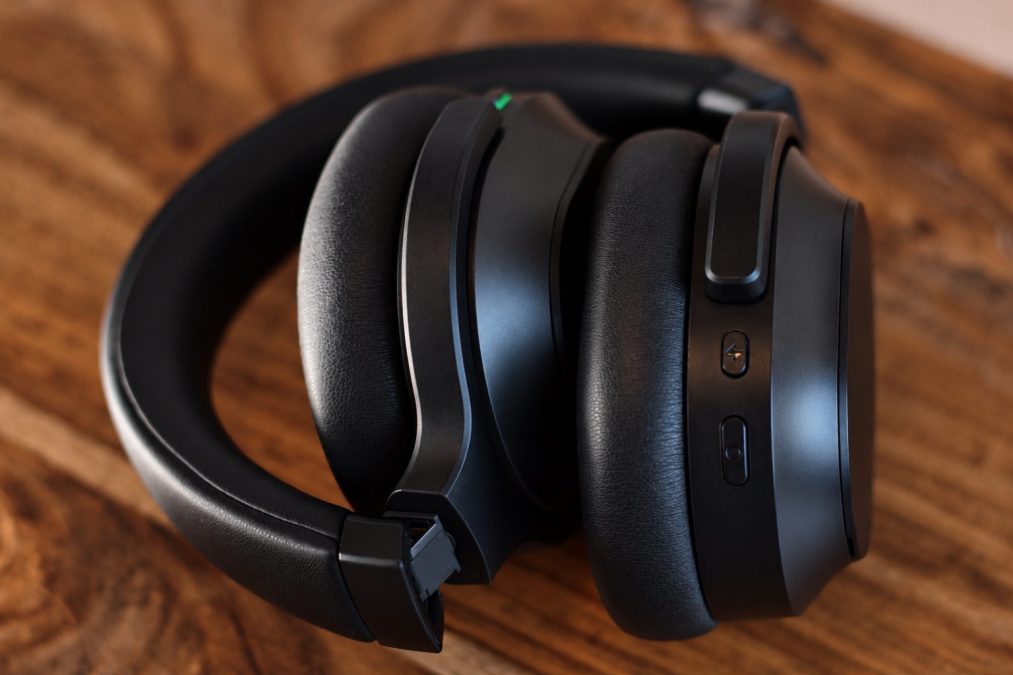
The fit is less convincing when I’m lying down. The clamp isn’t strong enough to keep the headset in place during bench presses. Sweat can make the earcups move around more, too, so I’d rather use earbuds for that sort of gym session. Jogging has been fine unless I bounce around excessively. There’s also a small design quirk when taking the headset off: the earcups lie flat against my chest with the hard outer panels facing inward and the cushions facing out. I instinctively want to turn them the other way, with the cushions against my chest, so the movement feels backwards to me. It works, but it looks and feels less natural.
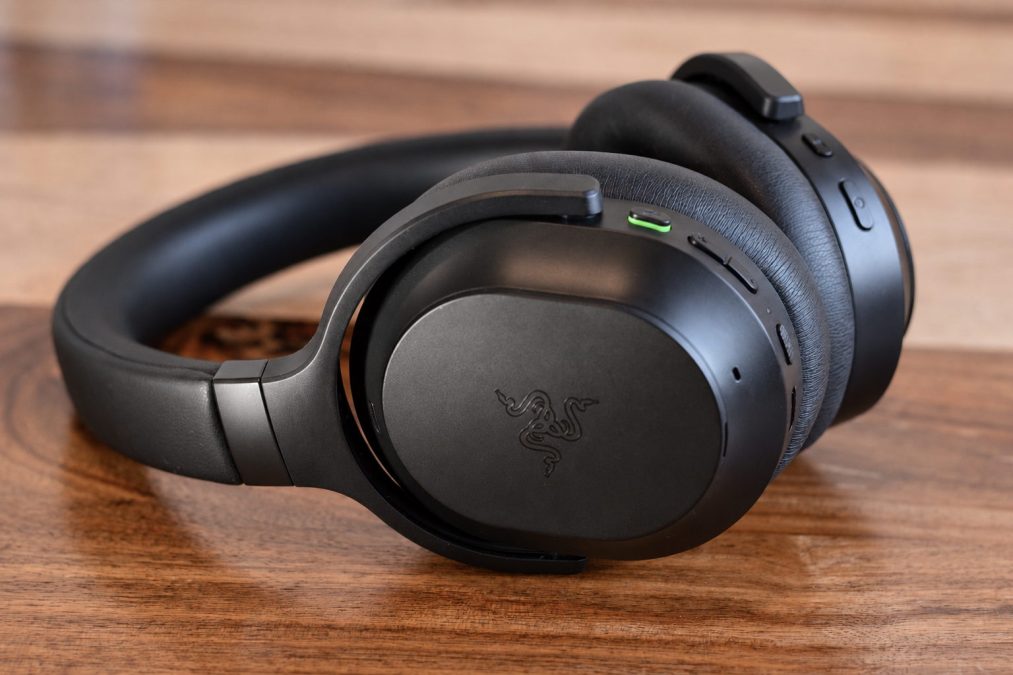
The clean black design is understated and sleek, and I like that it looks at home outside the house as well as at a gaming setup. The construction is mostly plastic, as you’d expect, but mine hasn’t creaked or felt fragile. Admittedly, they don’t scream “these cost £200” when you look at them or hold them, but they don’t feel cheap, either. I would have liked a carry case included in the box, mind you.
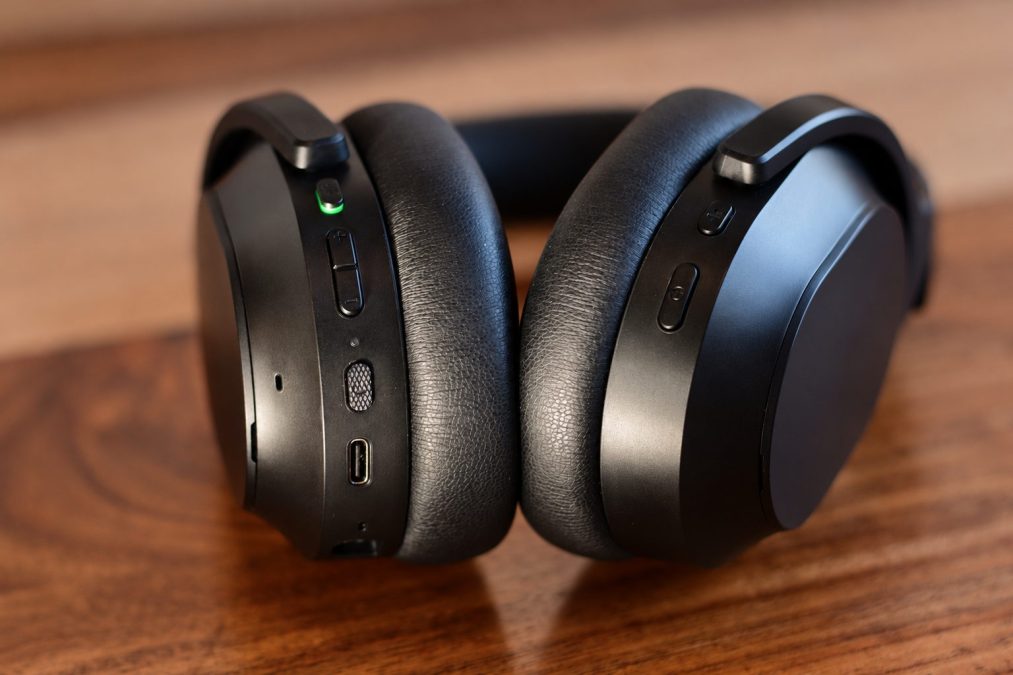
There’s a little hidden compartment to store the wireless dongle in the earcup. I only wish Razer had made room for the included USB-A adapter as well, but that’s a small gripe. The removable side covers are held on by magnets that feel weaker than I expected. I knocked off the cover for the dongle compartment while taking the headset off to talk to someone on a walk. I found it again in the woods, but I hadn’t noticed it come away. It’s a minor concern rather than a deal-breaker, though I’d be more confident if those panels held on more firmly.
There’s an internal microphone for calls when you’re out and about, and a detachable boom mic for gaming or whatever else. The internal mic was perfectly serviceable when I tested it with my brother, and the boom mic has been a step above what I’d expect from an average headset mic. My voice sounds clear, and it’s more than good enough for online games and phone calls. AI noise cancellation does a reasonable job of keeping background noise from leaking through, and there are three mic enhancement options: Volume Normalization, Vocal Clarity and Voice Gate. There are also four mic EQ presets and sidetone. I haven’t felt a need to spend long tinkering with any of them; the mic has done its job without fuss, which for me is talking shite to my friends.

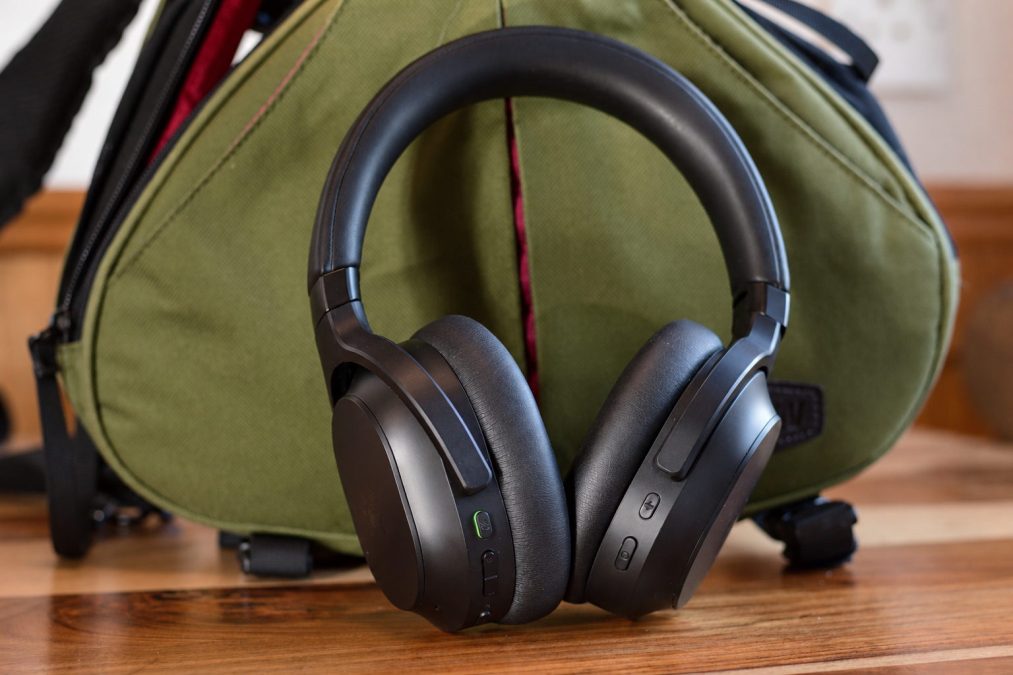
The controls are straightforward. There are separate volume-up and volume-down buttons on the left earcup, and they’re easy to find by touch. There’s also a prominent mic-mute button and the power button, all on the same side. The power button also handles playback, track skipping and calls. On the other side, the SmartSwitch button cycles EQ presets with a single press and connection modes with a double press. It also handles Bluetooth pairing. The multifunction button cycles through ANC and Ambient modes, switches to Bluetooth volume and activates the Bluetooth assistant. Its single-tap, double-tap and press-and-hold actions are customisable, too, so you can assign its ANC, Bluetooth volume and voice assistant functions to different presses—or disable any you don’t need.
Battery life has been excellent in my use. Razer claims up to 70 hours, and over several weeks of testing I’ve only recharged the headset once. Since I don’t sit with a stopwatch and time my usage, I can’t tell you if the claim is completely accurate. Using ANC or Ambient will affect battery life, but I’ve never been caught short. Battery life is easily one of the Barracuda V2 Pro’s strongest points.
In Conclusion…
At £199.99, the Barracuda V2 Pro is expensive. You can find perfectly good headsets for less, and I do think there’s a bit of a Razer tax here. But I’ve found myself wearing these most days without a problem. They’re comfortable, the sound is good across the board, the microphone is better than I expected, and the suite of extra features is incredibly useful—especially being able to listen to my game and some music or a podcast at the same time. Are the Barracuda’s the best value? Nah. I still love ’em, though.
And I wrote this whole review without making an ooh Barracuda joke. Am I maturing?